What you get
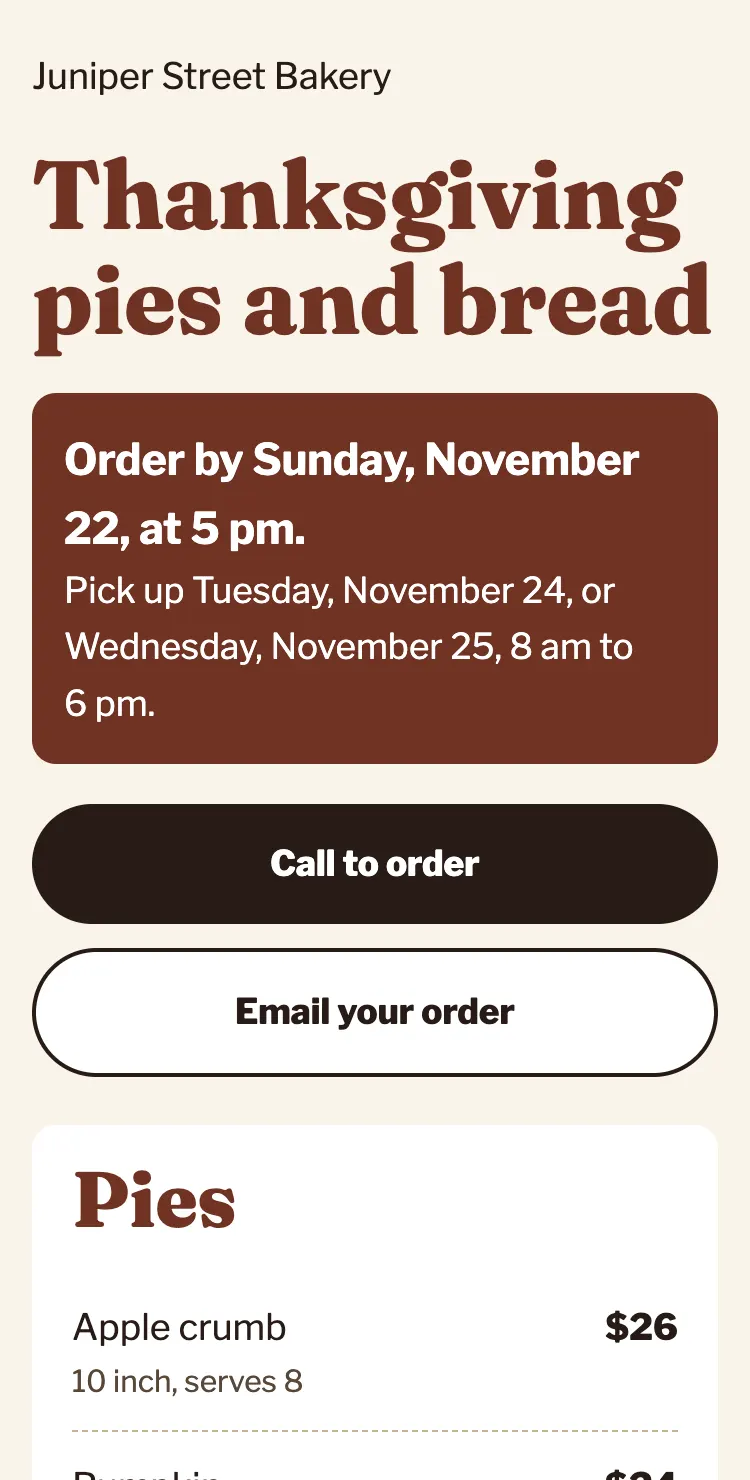
One page, made for phones
- Your holiday menu with prices, as real text.
- The last day to order, near the top.
- Pickup days and times.
- One big Order button: it calls you, opens an email to you, or goes to the order link you already use.
- Your own photos from your website, if you like them.
- A sign with a QR code to print for your counter.
- Sold out of pecan pie? Reply with "pecan sold out" and we update it, usually the same day.
Price
You see your page before you pay anything.
-
Step 1
Free
Send us your menu
Email your holiday menu, prices, last order day and pickup times. A photo of last year's flyer is fine.
-
Step 2
Free
See your page
We send you the link, usually within one business day. Ask for any changes.
-
Step 3
$49 once
Use it
Like it? Pay with the link we send, then share your page. Updates are included until January 15, 2027.
| Option | Cost | Who does the work |
|---|---|---|
| Brasspage holiday page | $49 once, no fee on orders | We make it and keep it up to date |
| A free form builder | $0 | You build it and keep it up to date |
| An online order platform | Often a fee on each order | You set up the menu |
Questions
Do you take my customers' orders or money?
No. The Order button goes to you: your phone, your email, or the order link you already use. We never see your customers' orders or payments.
Where does the page live?
At a brasspage.com address with your shop's name in it. Link to it from your Google profile, your social pages and your own website. Nothing changes on your current site.
What happens after the holidays?
Your page stays up until January 15, 2027. Then we take it down. Want it back next year? Ask, and we start from this one.
Can I add a Christmas menu after Thanksgiving?
Yes. Email the new menu and dates. Changes are included until January 15, 2027.
Who makes the page?
An AI agent (Claude, made by Anthropic) writes and builds your page and makes your changes. A person checks every page before it goes live and handles billing.